Visual step library
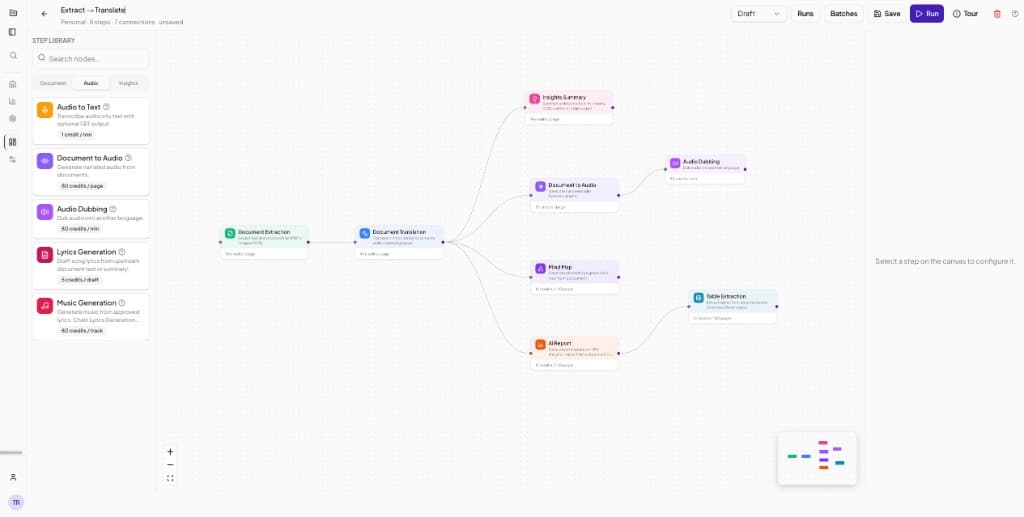
Drag document, audio, and insights steps onto a canvas and connect them into end-to-end pipelines.
Transpera Workflows lets teams chain document extraction, translation, audio generation, insights, and reporting into reusable pipelines. Launch runs, monitor success rates, and track credit usage from one workspace.
Visual builder. Project workspaces. Usage analytics built in.
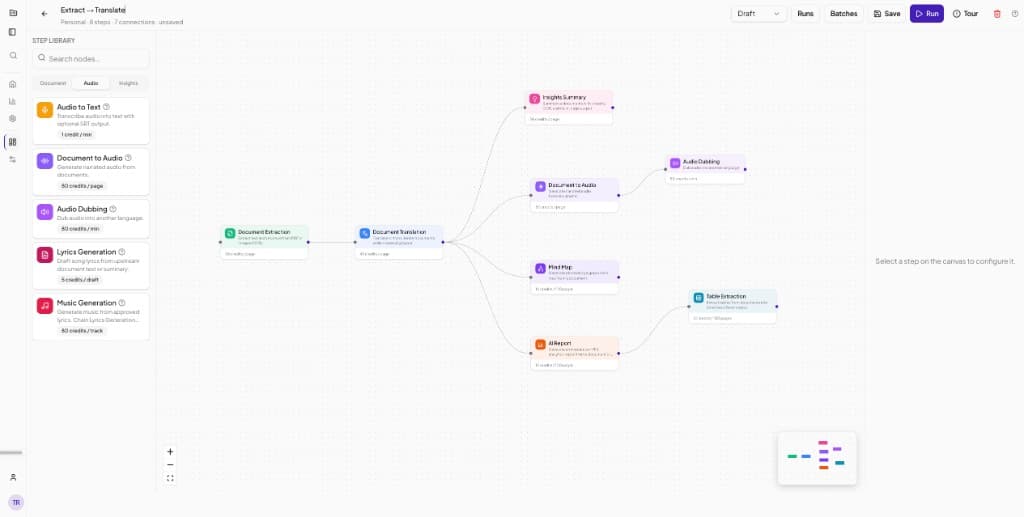
Drag document, audio, and insights steps onto a canvas and connect them into end-to-end pipelines.
Chain extraction and translation, then branch into summaries, audio, mind maps, reports, and table extraction.
Organize workflows by project with overview, settings, and dedicated run history for each team.
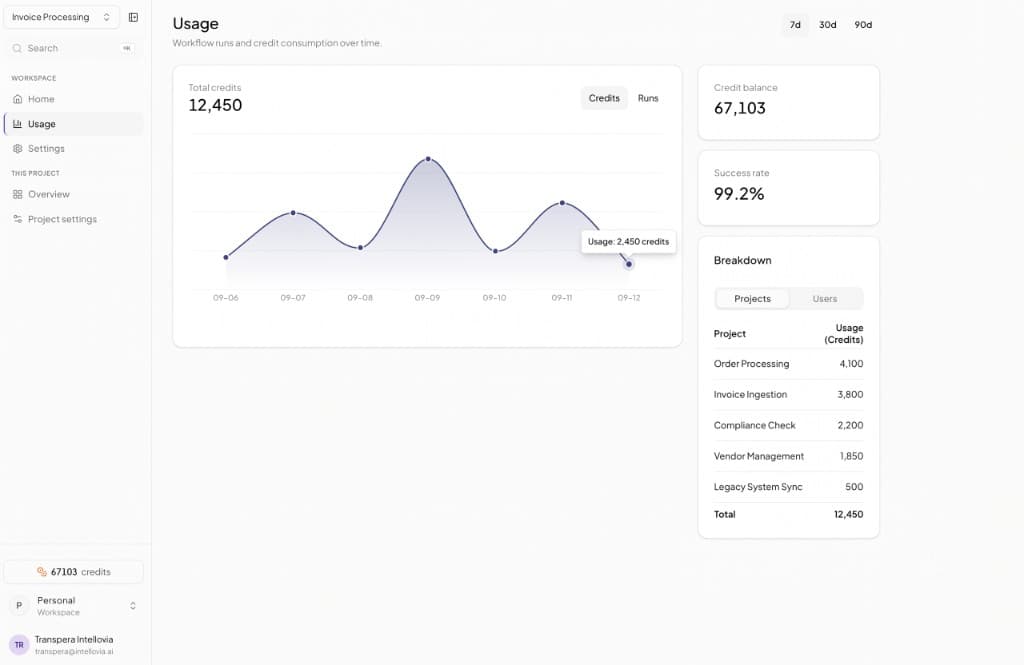
Track runs, success rate, and credit consumption over time with project and user breakdowns.
Home
Start from a personal home view with run activity, success rate, and credits used today, then jump into any project workspace.
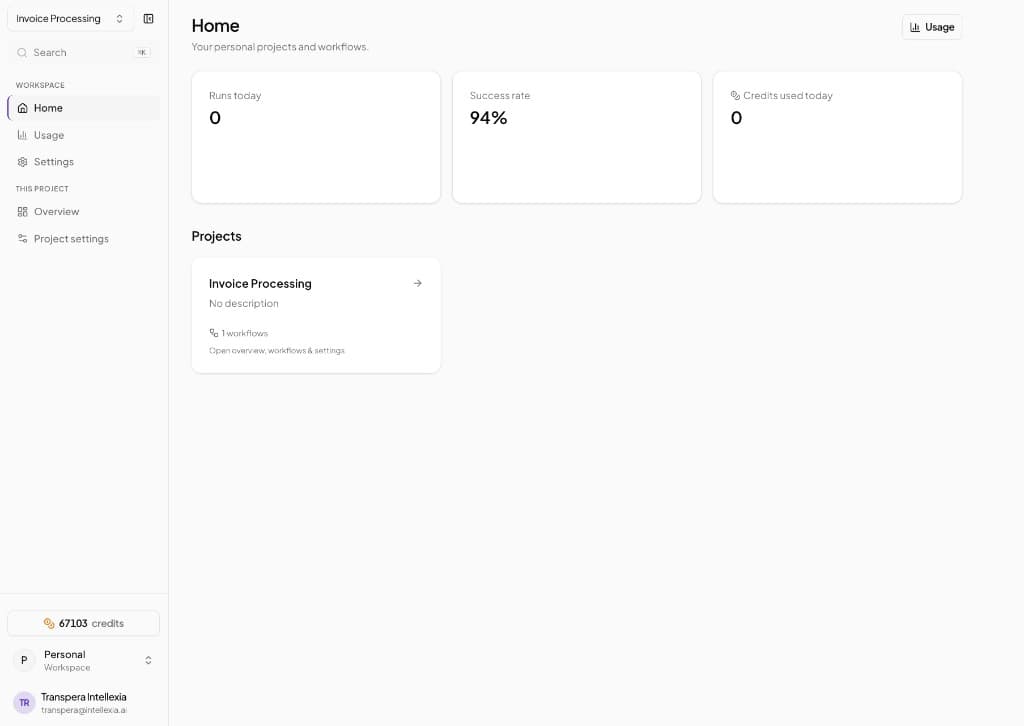
Builder
Use the step library to compose workflows like extract, translate, summarize, dub, and report without custom integration work.
Usage
Monitor credit consumption and workflow runs over time, then drill into project or user level breakdowns.
A simple flow for building and operating multilingual pipelines.
Set up a workspace for the team or use case you want to automate.
Drag steps onto the canvas, connect outputs, and configure each stage.
Execute workflows, review batches, and track credits and success in Usage.
Workflows connects the same Transpera capabilities your team already uses into repeatable, observable pipelines across documents, audio, and insights.
What teams ask before adopting workflow automation.
It is a visual workflow workspace for chaining Transpera AI steps such as document extraction, translation, summarization, audio generation, and reporting.
Yes. Each project has its own overview, workflow list, settings, and run context inside the workspace.
Open Transpera Workflows to design, run, and monitor multilingual AI pipelines from one workspace.